

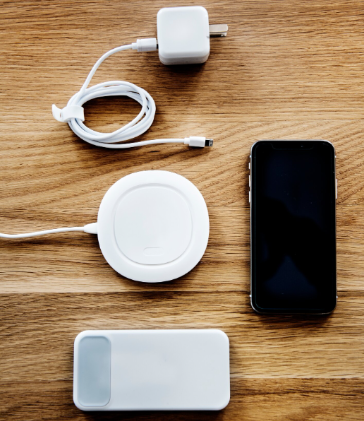
Look, nobody’s asking you to choose between breathing and eating. Yet somehow the debate between wireless and cable charging feels that dramatic. You’ve probably noticed your phone heating up on that fancy wireless pad. Or maybe you’re sick of replacing frayed charging cables every few months. The real question isn’t which one’s better—it’s which one makes your life easier without killing your battery in the process.
Why Your Charging Setup Matters More Than You Think
Here’s what most people get wrong. They think charging is just charging. Wrong. Your charging choice affects three things that actually matter: how fast you get back to 100%, how long your battery survives, and whether you’re wasting electricity. Wireless chargers consume nearly 50 percent more energy to fully charge a device compared to wired alternatives, which means your electricity bill notices even if you don’t.
Power Up Your Entire Setup with Smart Charging Solutions
Speaking of making smart choices—if you’re serious about keeping all your devices running smoothly, you need more than just a good charger. Your monitor, laptop, and phone all need reliable power management. That’s where smart power charging solutions come into play. The same thinking that goes into choosing between wireless and wired charging applies to your entire workspace—efficiency, reliability, and not setting money on fire through wasted energy. When you’re setting up a proper workstation, every device needs the right power setup, from your computer monitor to your smartphone.
How Wireless Charging Actually Works
Stop imagining magic. Wireless charging utilizes electromagnetic fields to transfer energy between a charging pad and a device equipped with a receiver coil. The charging pad generates an electromagnetic field. Your phone picks it up. Energy transfers. Battery fills.
Most devices use the Qi standard (pronounced “chee”). Qi is the industry standard used by major brands like Apple and Samsung, offering a reliable way to power up modern smartphones. If your phone was made after 2018, it probably supports it.
Newer tech like Qi2 improves on the original with better alignment and faster speeds. Qi2 delivers power more efficiently, reducing charging time and generating less heat, which is beneficial for battery longevity. Apple took this further with MagSafe—magnets snap your phone exactly where it needs to be for maximum efficiency.
How Wired Charging Actually Works
Cable charging is stupidly simple. Electricity flows from wall to phone through a cable. Direct connection means less energy loss.
Three main types of cables exist:
- USB-C: The current standard for most devices, supporting fast charging and wide compatibility
- Lightning: Apple’s proprietary connector for iPhones, offering reliable performance but limited to Apple products
- Micro-USB: Found on older devices, now mostly obsolete
USB-C is known for fast charging and wide compatibility, making it the go-to option for most new smartphones and tablets.
Speed: Where Cable Wins Every Time
Let’s get real about charging speeds. The Samsung Galaxy S22 supports a maximum of 25W over a conventional charger and 15W through wireless, making the wired option almost twice as fast. That gap matters when you’re rushing out the door.
Why wired charges faster:
The connection is direct—no energy loss between pad and phone. Higher wattage options exist for cables (some go up to 150W for specific devices). While wireless chargers are improving, they still lag behind wired charging in terms of speed.
If you need juice in 10 minutes before leaving, plug in a cable. Wireless can’t compete there. Physics doesn’t care about convenience.
Battery Health: The Heat Problem Nobody Talks About
Here’s where things get interesting. Wireless charging produces more heat than wired charging, and sustained exposure to elevated temperatures can degrade battery health over time. Heat is battery cancer. The more heat your battery endures, the faster it dies.
But before you panic:
Wireless charging is generally safe for your phone’s battery when used properly, with Qi-certified chargers incorporating safeguards to maintain proper coil alignment and prevent power fluctuations. Modern phones have thermal management built in. Quality chargers regulate temperature automatically.
The real battery killers are:
- Letting your phone drop to 0% constantly
- Charging to 100% and leaving it there for hours
- Using your phone intensively while it’s charging
- Cheap, uncertified chargers that don’t regulate heat
Research indicates that keeping a battery topped up above 50% can be less harmful than letting it drain under 10% before charging, with optimal battery health maintained between 20% and 80%. Wireless makes it easier to top up throughout the day—just drop your phone on the pad between tasks.
Overnight Charging: Does It Destroy Your Battery?
Short answer: Not anymore. Modern smartphones have adaptive charging features that limit the amount of power going into your phone overnight, with phones remembering charging cycles and not adding another until an entire cycle is complete. Your phone knows when to stop.
It’s generally safe to leave your phone on a wireless charger overnight, as modern phones manage charging to prevent overcharging. But here’s the thing—leaving your phone at 100% for hours isn’t ideal. Better battery habits include topping up during the day when needed rather than nightly overnight wireless charging in warm conditions, which may cause unnecessary stress.
Convenience: Where Wireless Actually Shines
Nobody wants to fish for cables in the dark. Wireless charging offers convenience by simply placing the device on a charging pad without fumbling with cables, especially useful in dark environments.
Real scenarios where wireless wins:
- Your desk: Drop your phone when you sit down, grab it when you leave—no cable management needed
- Your car: Car-mounted wireless chargers attach to vent clips, allowing you to simply place your phone against the charger in perfect position for navigation without fumbling to unplug it
- Your nightstand: No more unplugging in pitch darkness
- Multiple devices: For those who own several different phones, a wireless charging pad becomes the “one size fits all” solution, as wireless charging smartphones generally adhere to the Qi wireless charging standard
Wireless charging reduces wear and tear by eliminating the strain on charging ports caused by repeatedly plugging and unplugging cables. Your charging port won’t get loose. Your cables won’t fray at the connector.
Portability: Where Cables Make a Comeback
Try traveling with a wireless charging pad. Wireless chargers are much bulkier and typically come as phone stands or large pads that don’t often fit in a standard bag and are more fragile than a simple cable.
Cables coil up. They connect to power banks. They plug into your laptop for charging. They work in coffee shops, airports, and hotel rooms without hunting for a flat surface.
For on-the-go charging:
Bring a cable and power bank. Wired charging ties you to a wall socket, but solutions like portable power banks are designed for mobility. Wireless is for stationary charging spots where convenience matters more than portability.
Energy Efficiency and Cost: The Hidden Factors
Wireless chargers need almost 50 percent more energy to fully charge up a phone. That’s wasted electricity. Wasted money. Worse environmental impact.
Initial costs differ too:
Most phones come with a charging cable in the box. Most gadgets come with at least a charging cable if not a full adapter, whereas you’ll need to spend extra for a wireless solution, which usually go for anywhere between $15 and $40.
Wired charging cables last 6 months to a year depending on use, deteriorating due to repetitive flexing, so they should be replaced when no longer snug. Wireless pads have no moving parts—they last longer but cost more upfront.
Using Your Phone While Charging
In most scenarios, it’s easier to use phones or tablets while they’re charging if they’re tethered to electricity by a cable. You can’t really use your phone properly when it’s lying flat on a wireless pad. MagSafe helps here—some chargers let you prop your phone at angles.
For actual productivity or extended use while charging, cables win. For passive charging while you work on something else, wireless works fine.
The Smart Play: Using Both
Stop thinking binary. There’s nothing to stop you from using both methods with your devices, but knowing the pros and cons will help you make an informed decision.
Here’s the actual strategy:
- Desk and nightstand: Wireless charging for convenience
- Car mount: Wireless for easy one-handed phone placement
- Travel: Cables and power banks for portability
- Quick top-ups: Cables for speed when you’re in a hurry
- Intensive phone use: Wired so you can actually hold and use your device
For most people, having both options is the sweet spot—consider your charging habits, what devices you use, and how much freedom of movement you seek.
Making Your Choice
Choose wireless charging if:
- You value convenience over speed
- You have a dedicated charging spot (desk, nightstand, car)
- You want to reduce cable clutter
- Your charging port is already showing wear
- You don’t mind the higher upfront cost
Choose wired charging if:
- You need the fastest possible charging speeds
- You’re frequently on the move
- You use your phone heavily while it charges
- You want the most energy-efficient option
- You’re working with a tight budget
Do both if:
You want the benefits of convenience at home and speed on the go. Most people land here eventually.
The Bottom Line
Neither option will destroy your phone if you use it correctly. The main culprit affecting battery health isn’t the charging method but heat and poor-quality accessories.
Buy quality chargers. Don’t let your battery constantly hit the extremes. Keep your phone cool while charging. Match your charging method to your actual needs, not what’s trendy.
The best charging solution is the one that fits your life without making you think about it. Sometimes that’s wireless. Sometimes it’s wired. Often it’s both.
