

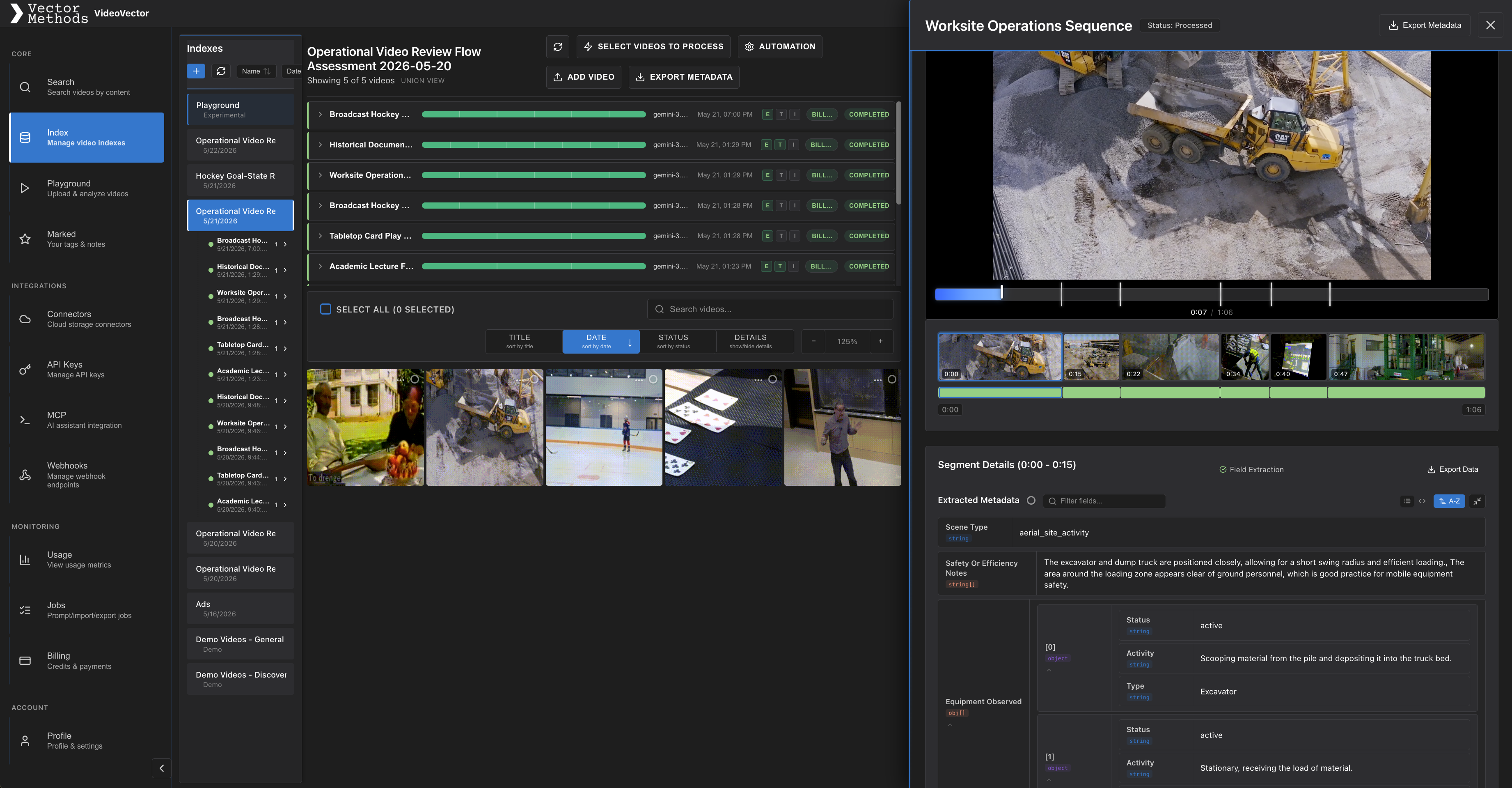
VideoVector platform view with processed media, timeline, and metadata
Many VideoRAG implementations start by treating video as a long transcript. That works for simple lecture or meeting content, but it breaks down when the important signals are visual, time-based, or domain-specific. A sports moment, archive scene, safety incident, product appearance, or operational event may never be represented cleanly in transcript text.
VectorMethods takes a more API-first approach. Its VideoVector platform converts raw video, audio, and image assets into structured media intelligence before retrieval. Through the VideoVector API, developers can create indexes, upload or import media, run extraction prompts, retrieve structured outputs, and search across processed assets.
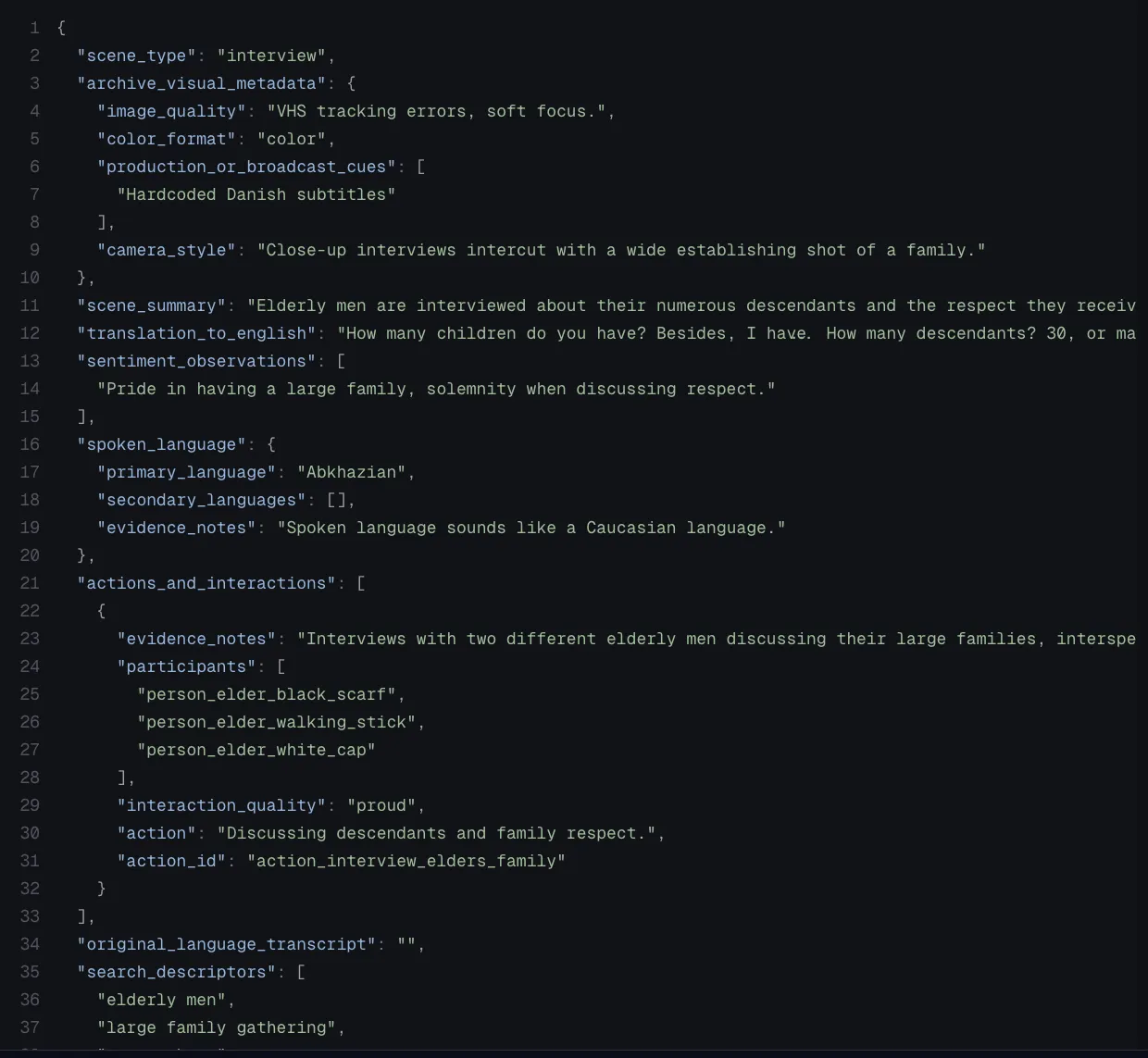
Archive JSON metadata extracted from a timestamped media segment
The pipeline starts with LLM-based video extraction. Instead of generating only a high-level summary, VideoVector can produce time-stamped metadata, nested JSON, and asset-level analysis. Each segment can describe scene type, visible objects, people, actions, language, translation, event context, or workflow-specific fields. This gives a VideoRAG system more than text chunks; it gets typed context linked back to source timestamps.
The SDK makes the same workflow easier to embed into product code. An application can submit media, run a schema, wait for results, then store or retrieve structured outputs for search and assistant workflows. That is useful for internal copilots, customer-facing media search, editorial review, archive discovery, compliance tooling, and recommendation systems.
A practical VideoRAG architecture has four layers. First, media enters an index. Second, VideoVector runs schema-aware extraction and creates segment-level plus asset-level metadata. Third, embeddings and metadata text power vector search for video scenes and events. Fourth, a retrieval layer fetches relevant segments before the LLM generates an answer.
This is where video metadata extraction matters. If a retrieval system can search extracted fields like event type, visual state, topic, language, or asset category, it can return better evidence than transcript-only retrieval. Structured filters can narrow the search, while semantic retrieval can preserve recall.
Cloud automation closes the loop. Once the pipeline is validated, teams can automate imports, prompt runs, exports, and webhooks through media workflow automation. New media can arrive from storage, be processed automatically, and become available to search, RAG, catalogs, or review systems.
For developers, the main lesson is simple: build VideoRAG on structured media intelligence, not only text. VideoVector gives applications a programmable path from raw media to time-stamped metadata, searchable embeddings, and grounded answers.
